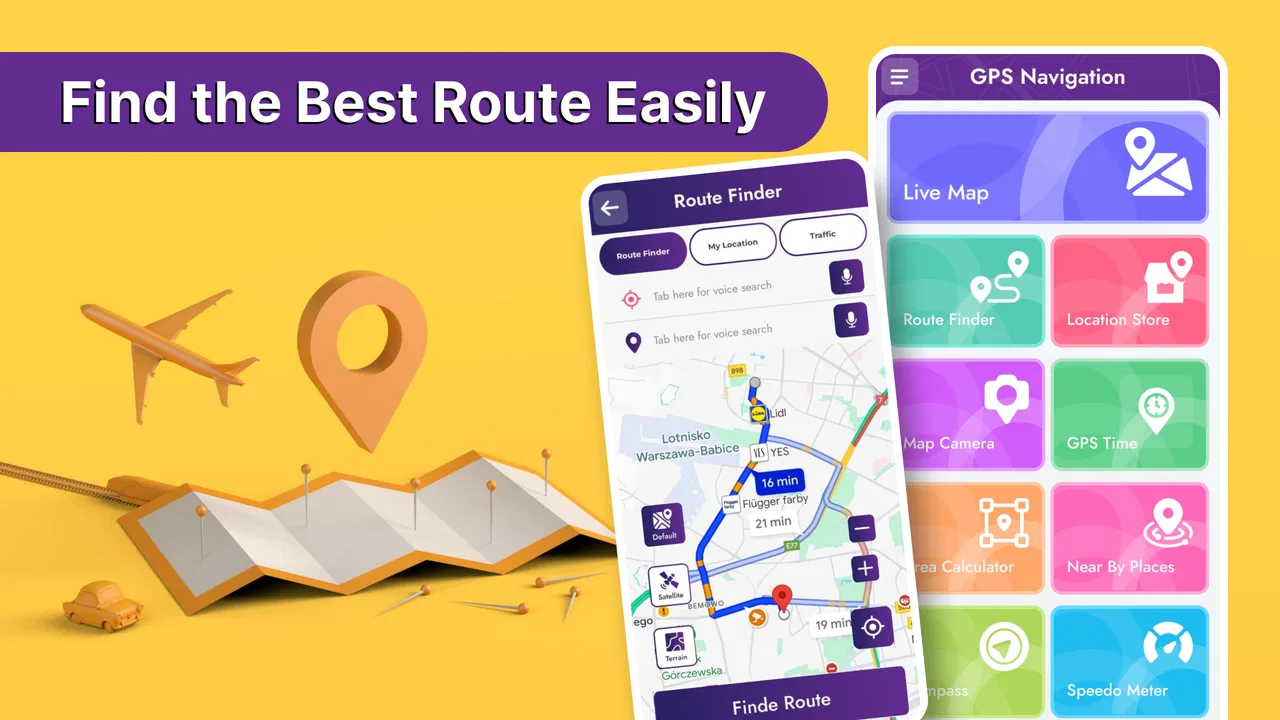
GPS Navigation, Road Maps
- 4.5
- Rating
- 1.00M
- Installs
- Free
- Price

 Analysis by App-foxy
When a navigation app is going to be used by more than one person in a household, the important question is not only whether it can find a route. It also needs to fit different habits: one person may use it for a daily commute, another for unfamiliar roads, and someone else may simply need quick directions without learning a complicated interface. I found GPS Navigation, Road Maps most useful in that shared-device situation because its purpose is immediately clear: it is a free maps and navigation app for finding routes and directions to destinations around the world.
My first impression was practical rather than flashy. The app is focused on getting from one place to another, so it makes sense for a phone that stays in a car, a spare handset, or a device used by several members of a household. It comes from Battery Stats Saver and has built a strong audience, with more than a million installs and an average rating of 4.5 from roughly eleven thousand ratings. Those figures suggest that the straightforward approach works for many people, although they should not be treated as a guarantee that every route or screen will suit every driver.
How GPS Navigation, Road Maps works in a shared household
I find a shared phone works best when the household agrees on a simple handoff: the next driver checks that the previous destination is finished, searches for their own place, and confirms the result before setting off. That small routine keeps old routes from causing confusion and makes the app easier for occasional users to pick up. It also gives everyone a moment to consider whether a shared device suits their privacy needs.
You May Also Like

 Blood Strike: 2.5 Anniversary
Blood Strike’s Loadouts Turn Every Drop Into a Tactical Gamble
A close look at Blood Strike’s custom loadouts: how fast access to signature weapons reshapes its battle royale rhythm, rewards preparation, and narrows the gap between fights.

 Pandora - Music & Podcasts
Pandora’s Music Is Easy to Start, but Harder to Recover
Pandora’s strength is its low-effort path from a seed to a station. Its weak spot is how much confidence it asks you to place in connection, setup, and quiet recovery.

 8 Ball Pool
 Is Built on Rivalries, Rematches, and Routine
A close look at the rivalries, rematches, shared routines, and unanswered safety questions that turn a quick pool match into a persistent mobile community.

 Samsung Music
’s Quiet Strength Is Playing What You Already Own
Its reach comes less from spectacle than from dependable access to a personal library. That simplicity is both the app’s strongest retention engine and its ceiling.

 AccuWeather: Weather Radar
AccuWeather Review: A Quick, Clear Forecast for Everyday Decisions
For everyday plans, the best forecast is the one you can understand quickly. AccuWeather makes rain timing, radar, and local conditions easy to act on, with a few trade-offs.

 Hill Climb Racing
Why Hill Climb Racing Still Turns Crashes Into One More Run
A tiny car, a bumpy hill and one more upgrade: Hill Climb Racing keeps resurfacing because its simple chaos makes every near-miss feel personal.
More From Our News Desk



A useful second navigation option for everyday trips
I can see this app fitting naturally into a family car or a shared Android phone. Imagine one person borrowing the vehicle to visit a new medical office, another using it for a work shift across town, and a teenager checking directions to a sports practice. Each person can open the navigation tool for the immediate journey instead of relying on someone else’s saved preferences or trying to remember a route explained verbally.
That simplicity matters when the phone is not really “owned” by one driver. A personal navigation setup often becomes cluttered with favorite places, recent searches, home addresses, and route choices that make sense only to one user. With a shared device, I would treat GPS Navigation, Road Maps as a task-focused tool: open it, search for the destination, check the suggested route, and hand the phone to the next person when the trip is over.
The app’s central strength is its broad purpose. It is designed for GPS navigation and road directions rather than for a narrow travel niche. That makes it suitable for routine errands and unfamiliar destinations alike. I would use it when I need a direct route to a shop, workplace, appointment, or meeting point and do not want to spend time planning the journey manually.
What I would do before handing the phone to someone else
Shared use works best when each driver begins with a clean, deliberate search. I would avoid tapping the first result automatically, especially for destinations with several branches. Checking the displayed place name and the surrounding road layout before starting is a small habit, but it prevents a common household problem: one person assumes the app chose the correct branch while another person ends up at a similarly named location.
I would also ask each user to confirm the destination in their own words before setting off. For example, “the north-side clinic” is more useful than simply saying “the clinic.” This is not a special household feature; it is a practical workflow that reduces mistakes when multiple people use the same phone and destinations have similar names.
Another helpful habit is to review the route while parked, rather than making decisions during the drive. I found the app most comfortable when navigation was treated as preparation first and guidance second. The driver can check the general direction, identify the expected destination area, and then place the phone where it can be viewed without becoming a distraction.
Setup boundaries on a device used by several people
Because the app is free to download, it is easy to try without making it a major household purchase. It is rated for Everyone, which makes the basic audience broad, but that rating should not be confused with a promise that every child is ready to manage navigation independently. A navigation tool still involves location awareness, road safety, and judgment around traffic.
The app supports Android devices running version 8.0 or later. That is worth checking before choosing an older spare phone for the car. A household may have a newer primary handset and an aging backup device, and the backup is often the one intended for shared navigation. If it does not meet the minimum operating-system requirement, the plan may fail before anyone even tests the route experience.
I would set up the device while connected to a dependable connection, then test a familiar short trip. A familiar route reveals practical friction quickly: whether the text is readable from the chosen phone position, whether the search wording is easy for different users, and whether the device is comfortable to operate without taking attention away from the road. Testing at home also gives every household member a chance to understand the basic flow.
There are in-app purchases ranging from $0.99 to $99.99 per item. That wide range makes it important to establish a simple household rule before anyone taps a purchase option. On a shared phone, I would make sure the person using the device knows which functions are free and which actions may lead to a charge. This is especially sensible when children or guests can access the handset.
Keeping personal boundaries clear
A shared navigation app can reveal more about a person’s movements than people sometimes realize. Searches for workplaces, appointments, relatives, or regular destinations may remain visible through the device’s normal use. I would not treat a shared handset as a private personal diary. If different people use it, they should agree on whether recent destinations are acceptable for others to see and whether the phone should be cleared between trips.
This is also why I would avoid signing into a shared device with one person’s broader personal account unless that arrangement is intentional. The app can be useful without turning the household phone into a window into one individual’s routine. Separate devices are better when privacy is a priority, while a shared device is reasonable for occasional, practical directions.
That boundary becomes more important when a child uses the phone. A parent can help choose the destination and explain how to verify it, but I would not assume that an Everyone content rating provides parental supervision or driving guidance. The app is a navigation utility, not a substitute for an adult deciding when and how a young person should use a phone near roads.
Coordinating journeys without overcomplicating them
GPS Navigation, Road Maps is most useful for coordination when everyone agrees on the destination before the driver leaves. If one household member is sending directions to another, I would share the exact place name and nearby context in a message or conversation, then let the driver enter and verify it. This is safer than sending a vague landmark and expecting the driver to resolve the ambiguity while moving.
For a shared car, I would nominate one person as the navigator whenever possible. That person can enter the destination, inspect the route, and help with changes while the driver concentrates on the road. If the driver is alone, the route should be prepared before departure. The app can provide guidance, but no navigation screen removes the need for the driver to make safe, real-world decisions.
A less obvious advantage of this arrangement is consistency. When several relatives give directions by memory, each person may describe a different shortcut or landmark. Using the same navigation app creates one agreed starting point for the journey. It does not guarantee that the route is perfect, but it reduces arguments caused by conflicting verbal instructions.
There is a trade-off, though. A route that looks shortest on the screen may not be the best choice for a particular driver. Someone unfamiliar with a busy junction may prefer a simpler route, while an experienced local driver may know that a seemingly longer road is easier at a certain time. I would use the suggested route as a plan to review, not as an instruction that overrides local knowledge, road signs, or temporary conditions.
Where it fits beside familiar alternatives
Most Android users already know the major navigation services that come with a phone or have been installed for years. Those alternatives may feel more natural when a user depends heavily on business information, traffic context, public transport, walking directions, or a deeply personalized account history. If those details are central to your trips, switching to a simpler road-navigation app may feel like giving up useful context.
GPS Navigation, Road Maps makes more sense as a focused alternative or backup. I would choose it for a spare device, a straightforward driving task, or a household that wants a separate navigation tool without mixing it with someone’s personal map history. Its appeal is not that it replaces every mapping service in every situation. Its appeal is that it keeps the basic job visible: find a destination and follow a road route.
For long journeys, I would compare the route with another trusted source before leaving, especially if timing, road closures, or complex transfers matter. For a short trip across a familiar area, that extra step may be unnecessary. The right choice depends on how much surrounding information you need. A user who wants a compact route finder may appreciate the focus; a user who wants a complete travel-planning ecosystem may prefer a larger established maps platform.
Age, trust, and realistic supervision
The Everyone age rating makes the app approachable for a broad range of users, including households that want a simple navigation option on a common device. In my view, the rating is most relevant to the app’s general audience, not to the maturity needed for safe independent travel. A younger user can learn how to search for a destination, but an adult should still decide whether that person is ready to interpret routes, cope with a wrong turn, and use a phone responsibly near traffic.
Trust also applies to destination entry. On a shared phone, a mistaken search can send someone to the wrong place, while an intentional prank could create confusion. I would teach family members to read the complete destination label and check the map position before starting. This is a simple verification step, but it is more valuable than assuming the first matching result is correct.
For older relatives, the app may be useful if the screen and controls are comfortable on their device. I would set up a short practice trip with them and make sure they know how to stop and recheck the destination. The goal is not to make them memorize every control; it is to give them a repeatable routine that reduces pressure when traveling somewhere unfamiliar.
For guests or temporary users, I would explain the household’s privacy and purchase expectations before handing over the phone. The free price makes casual use convenient, but the presence of optional purchases means “free” should not be interpreted as permission to tap every upgrade or extra option. A clear rule is easier than sorting out an unexpected charge later.
Version details and day-to-day maintenance
The current version is 5.1.9, and the app has been available since February 29, 2020. Those details tell me that this is not a brand-new experiment, but they do not remove the need for ordinary maintenance. I would keep the app and the phone’s operating system in a usable state, test navigation after significant changes, and avoid making the first real trip with the app immediately after a rushed setup.
A shared device also needs practical care outside the app. Keep the screen clean, make sure the phone is charged, and place it where the driver can glance at it without blocking visibility. If the device is passed between people, check that the next user knows which destination is active. That single check can prevent a previous route from being mistaken for the current one.
I would not judge the app only by whether it can start a route. The better test is whether each person in the household can repeat the process independently: search carefully, confirm the place, review the route, and begin only when it is safe. If one person can use it but everyone else finds the setup confusing, it is not really serving as a shared household tool.
Who should use it and who should look elsewhere
I would recommend GPS Navigation, Road Maps to someone who wants a free, direct way to look up driving directions and who values a separate navigation option for an Android phone. It is especially sensible for a shared car, an occasional driver, a spare handset, or a user who does not need a large collection of travel-planning features around every route.
I would be more cautious about recommending it as the only navigation solution for demanding travel. If your trips depend on rich live traffic information, detailed public-transport planning, extensive place reviews, or highly developed account-based coordination, a more comprehensive maps service may be a better fit. Likewise, people who want strict separation between family members should avoid assuming that a shared phone automatically creates separate private spaces.
The optional purchase range is another reason to choose deliberately. Users who only need basic directions can start without paying, while households should discuss purchase permissions before sharing the device. I appreciate that the entry point is free, but I would still treat the in-app purchase screen as part of the setup conversation rather than leaving it to chance.
My household verdict
After looking at it as a shared-device app rather than only as a route finder, I see a clear place for GPS Navigation, Road Maps. It is uncomplicated enough for ordinary directions, broad enough for destinations around the world, and accessible to Android users on version 8.0 or newer. Its established audience and 4.5 average rating add confidence that it has practical appeal, while the focused design makes it a reasonable backup for households that do not want one person’s map habits to dominate every trip.
My recommendation comes with boundaries. Confirm destinations before driving, agree on how the shared phone is used, supervise younger users appropriately, and remember that a suggested route is not a replacement for road awareness. I would choose this app for simple household coordination and everyday driving, then keep a more feature-rich maps service available when traffic, transit, privacy separation, or detailed travel planning becomes the main concern.
In short, GPS Navigation, Road Maps earns its place when you want a practical navigation tool that several people can pick up and use without turning the device into a complicated personal mapping system. The best reason to install it is its focused role in a shared setup: one phone, many drivers, and a clear routine for reaching the right destination safely.
FAQs for GPS Navigation, Road Maps
01What is GPS Navigation, Road Maps, and what can I use it for?
GPS Navigation, Road Maps is a navigation app designed to help you plan routes, find destinations, and follow turn-by-turn directions while driving, walking, or traveling. After testing its main features, we found it useful for checking nearby places, viewing roads on a map, and estimating travel routes. It is especially convenient for users who want a mobile alternative to carrying printed maps.
02Does GPS Navigation, Road Maps work without an internet connection?
The app may offer limited functionality when your phone is offline, but the exact features depend on whether map data has been downloaded in advance and how the application handles offline navigation. Before starting a trip, users should open the required area while connected to the internet and check whether maps or routes remain available. Live traffic, updated road conditions, and online searches generally require a connection.
03Is GPS Navigation, Road Maps accurate and reliable for driving?
GPS Navigation, Road Maps can provide helpful directions, but no navigation application should be followed blindly. Accuracy may vary because of weak GPS signals, outdated map information, construction, private roads, or incorrect location data. During our review, the app was most useful when the driver also paid attention to road signs and local traffic rules. Always verify unusual instructions before making a turn.
04Does GPS Navigation, Road Maps require access to my location and other personal data?
The application normally needs location access to determine your position and provide navigation. Depending on the features you use, it may also request permission for internet access, notifications, or background activity. Before downloading, review the privacy policy and the permissions shown in the Google Play Store or Apple App Store. You can usually adjust permissions in your device settings, although restricting location access may reduce functionality.
05Is GPS Navigation, Road Maps free to download, or does it include paid features?
The app may be available as a free download, but users should check its current store listing because pricing and features can change. Some navigation apps include advertisements, optional subscriptions, premium map tools, or in-app purchases for additional functions. We recommend reviewing the payment details, trial terms, and cancellation policy before subscribing. Also make sure your device has enough storage for map data and updates.
Pros
- Clear turn-by-turn directions for driving
- walking
- and cycling
- Offline maps help navigate areas with weak or unavailable signal
- Live traffic updates can suggest faster alternative routes
- Voice guidance lets you keep your eyes on the road
- Search tools make it easy to find nearby places and services
Cons
- Some features may require a paid subscription or in-app purchases
- Traffic and road information can vary by region
- GPS use may noticeably reduce battery life during long trips
- Offline map downloads can take up considerable storage space
- Location tracking may raise privacy concerns for some users

GPS Navigation, Road Maps
Gallery